

Windows 10 1809+ or 11
64-bit, with administrator rights for the packet-filter driver. Internet to sign in, then up to 72 h offline.
Requirements
64-bit, with administrator rights for the packet-filter driver. Internet to sign in, then up to 72 h offline.
A Wi-Fi adapter that supports Windows Mobile Hotspot.
A WireGuard .conf or OpenVPN .ovpn from your provider, or a VPN app already connected on this PC. OpenVPN profiles also need OpenVPN 2.6+ (free).
Install
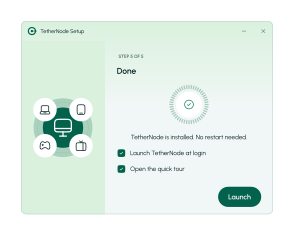
It installs and finishes with a Launch button. No restart needed.
Create an account and your 24-hour trial starts on first use.
Add a profile or pick your VPN app’s adapter, connect, then turn on the hotspot.
Read the FAQ, or tell us what you’re trying to share.


